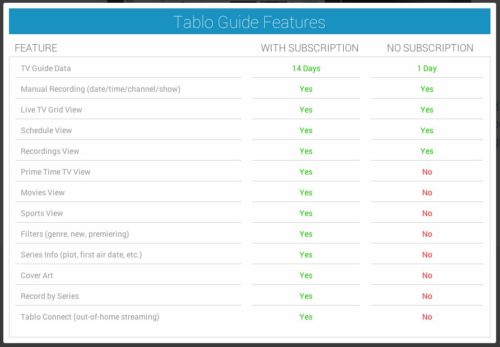
Here’s a quick chart that shows the features of the Tablo DVR guide data service subscription:
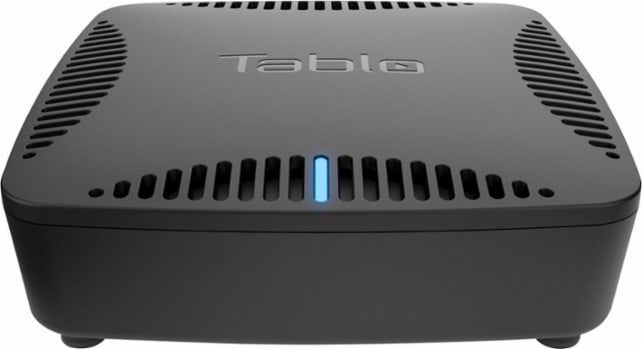 What is the Tablo DVR? The Tablo DVR is a way to watch live local TV channels or record live local TV channels to watch later. The Tablo DVR is for the cord cutter who wants to cancel their cable and satellite TV.
Let’s breakdown the Tablo DVR.
If you know what a DVR is, go ahead and skip to the next section. But if you aren’t sure, read on….
The DVR is a device that can record TV video signals. DVR stands for “Digital Video Recorder.”
Before the DVR there was the VCR. The VCR is very similar to the DVR. However, the VCR has limitations. VCRs need VCR tapes. VCRs are slow to Fast-Forward or Rewind which makes it difficult to find shows on VCR tapes.
The DVR transformed the recording of TV shows by using a hard drive and adding a TV programming guide that lists what is playing on TV. The hard drive stores the TV shows and eliminates the need for tapes. The programming guide allows DVRs to know in advance about upcoming shows, allow users to set a timer to record upcoming shows, and allows recorded shows to be easily found and played back using a TV screen guide.
The Tablo DVR is a DVR for cord cutters.
The Tablo DVR has a built-in over-the-air (OTA) antenna-tuner for plugging in your antenna and receiving live local TV channels. Cord cutters can use the Tablo DVR to record live local TV channels and shows using an OTA antenna and watch those recorded shows later.
Tablo DVR uses your home network (WiFi or Ethernet) to stream your Tablo DVR recordings to devices connected to your TV such as your Roku, Amazon Fire TV, and some Smart TVs.
To use a Tablo DVR you need the following:
There are several types of TV antennas you can use to get your local OTA channels.
Click to enter your zip code and see what free TV channels you can get with an antenna.
The Tablo 2-Tuner and 4-Tuner DVRs both must have a USB hard drive purchased separately.
The Tablo DUAL DVR includes 64 GB of storage for about 40 hours of recording. A USB hard drive is NOT required. A USB hard drive CAN be added to expand the number of TV show recording hours.
USB hard drives up to 8 TB are supported – for about 2000 TV show recording hours.
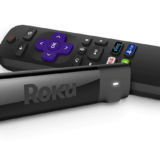
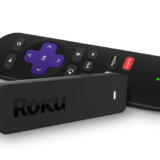
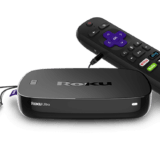
If your current TV has a HDMI port, you can use your existing TV with a streaming media player. Connect one of these supported streaming players to your home Internet (either WiFi or Ethernet) and the HDMI port on your TV:
Read about connecting a streaming media device to your TV… Turn Your Flat Screen TV Into A Smart TV
Using a Smart TV is “smart” because it simplifies your setup. With a Smart TV that has the supported Tablo DVR app, you won’t need both a TV and a media streaming player. Instead, you would only need the Smart TV.
A Smart TV is a TV that allows you to stream content from your home Internet (Wi-Fi or Ethernet) directly to your TV screen.
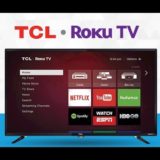
Tablo DVR supports many Smart TVs:
Read more about Smart TVs… The Best Smart TV is the Roku TV
To get the most out of the Tablo DVR, you should consider adding a guide data service subscription. The guide data service subscription is $4.99 per month (US).
You can use the Tablo DVR without the subscription guide. However, the guide data service subscription provides more features that give a better experience.
Here’s a quick chart that shows the features of the Tablo DVR guide data service subscription:
Here are a few Tablo DVR videos that offer more information.
Are you worried about Internet data caps if you use a Tablo DVR?… Is 1 TB of Internet Data Enough For Cord Cutters?




2 Responses
[…] Read more about Tablo DVRs… What is the Tablo DVR? […]
[…] Read more about the Tablo DVR: What is the Tablo DVR? […]